Excel & CSV import
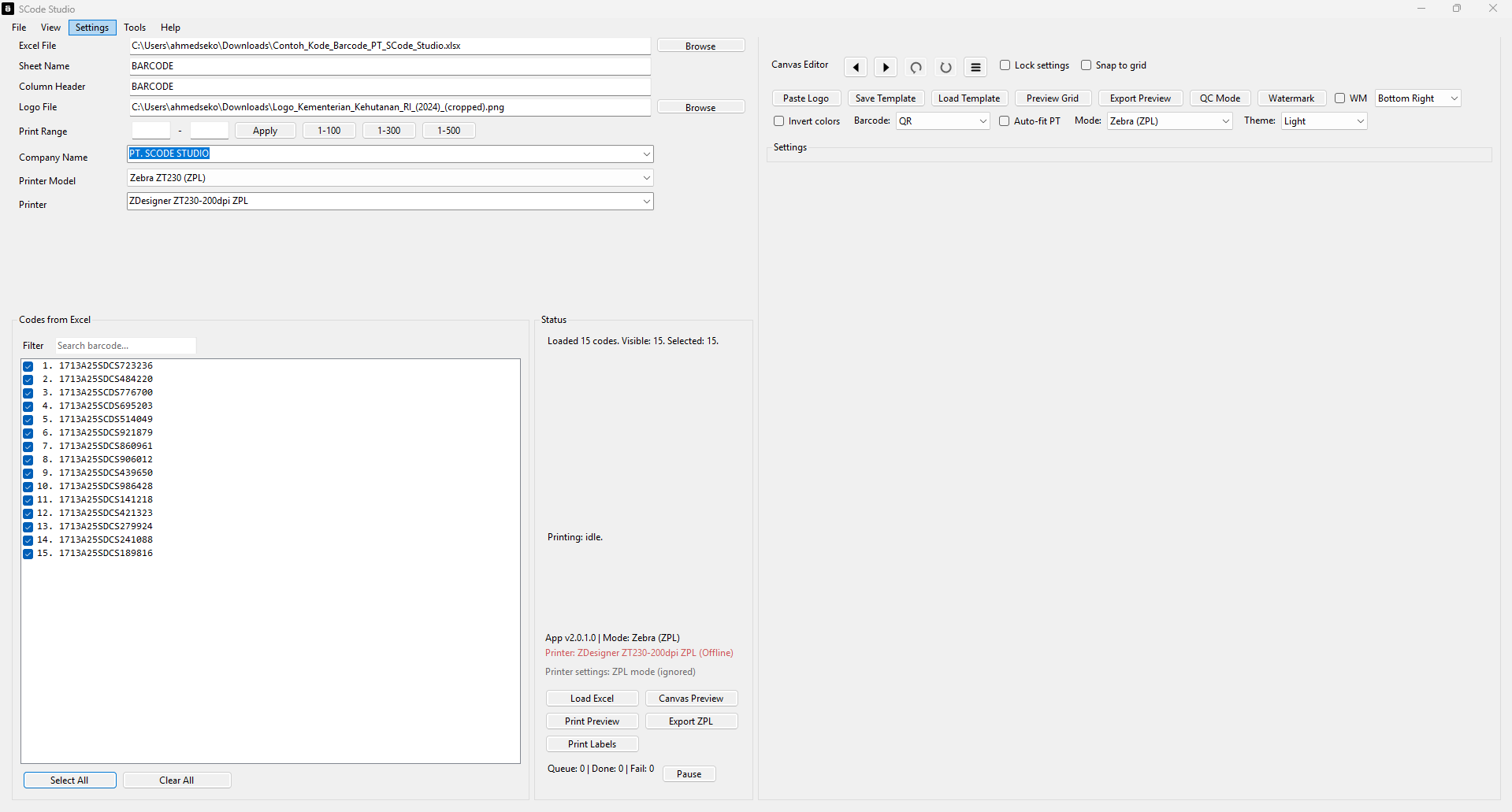
Load thousands of barcodes from Excel, CSV, or clipboard.
Windows 10/11 desktop app
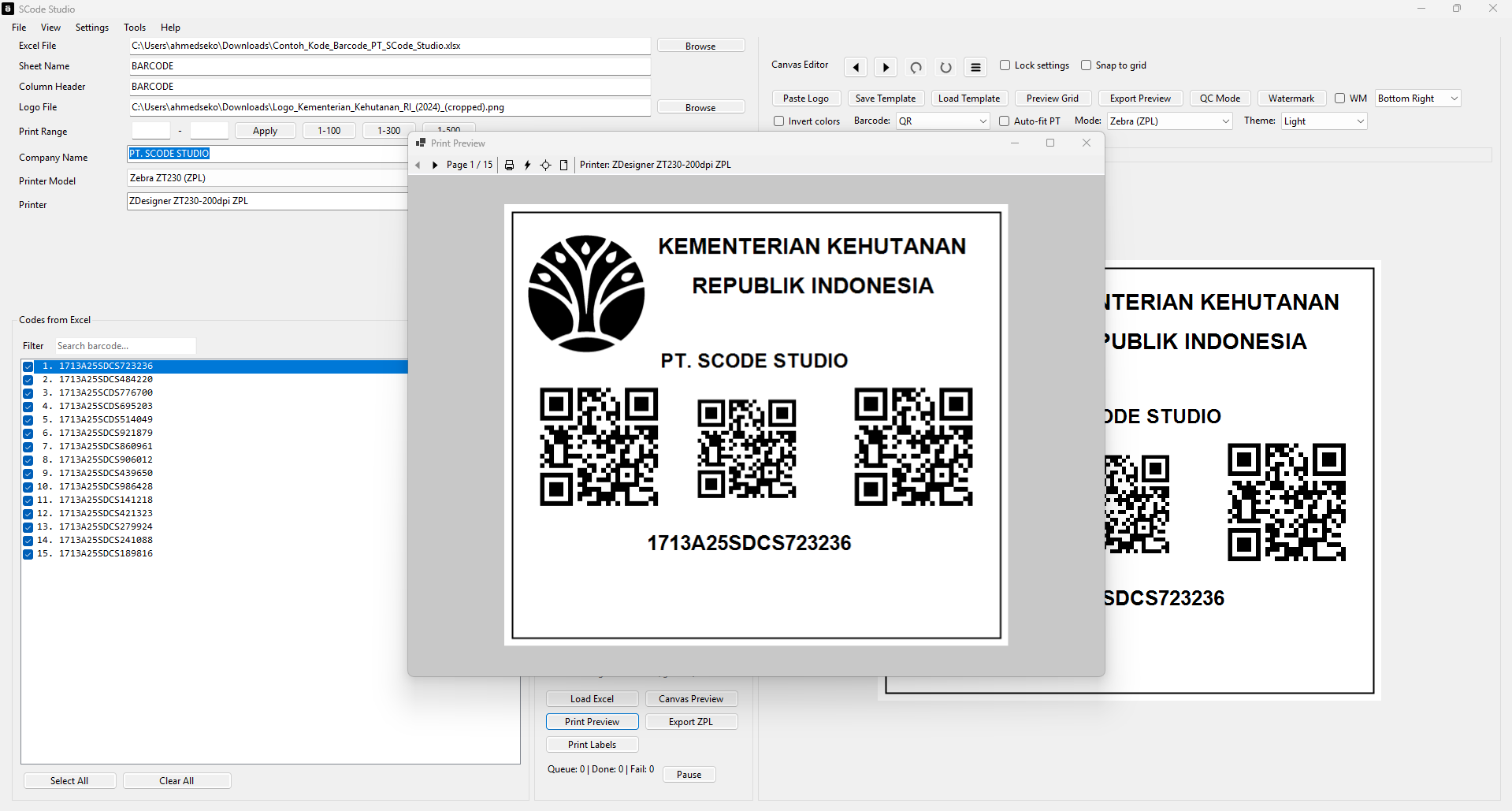
Import Excel, design your label on a canvas, preview accurately, and print fast to Zebra ZPL or Windows drivers for Epson, Canon, Brother, and more.
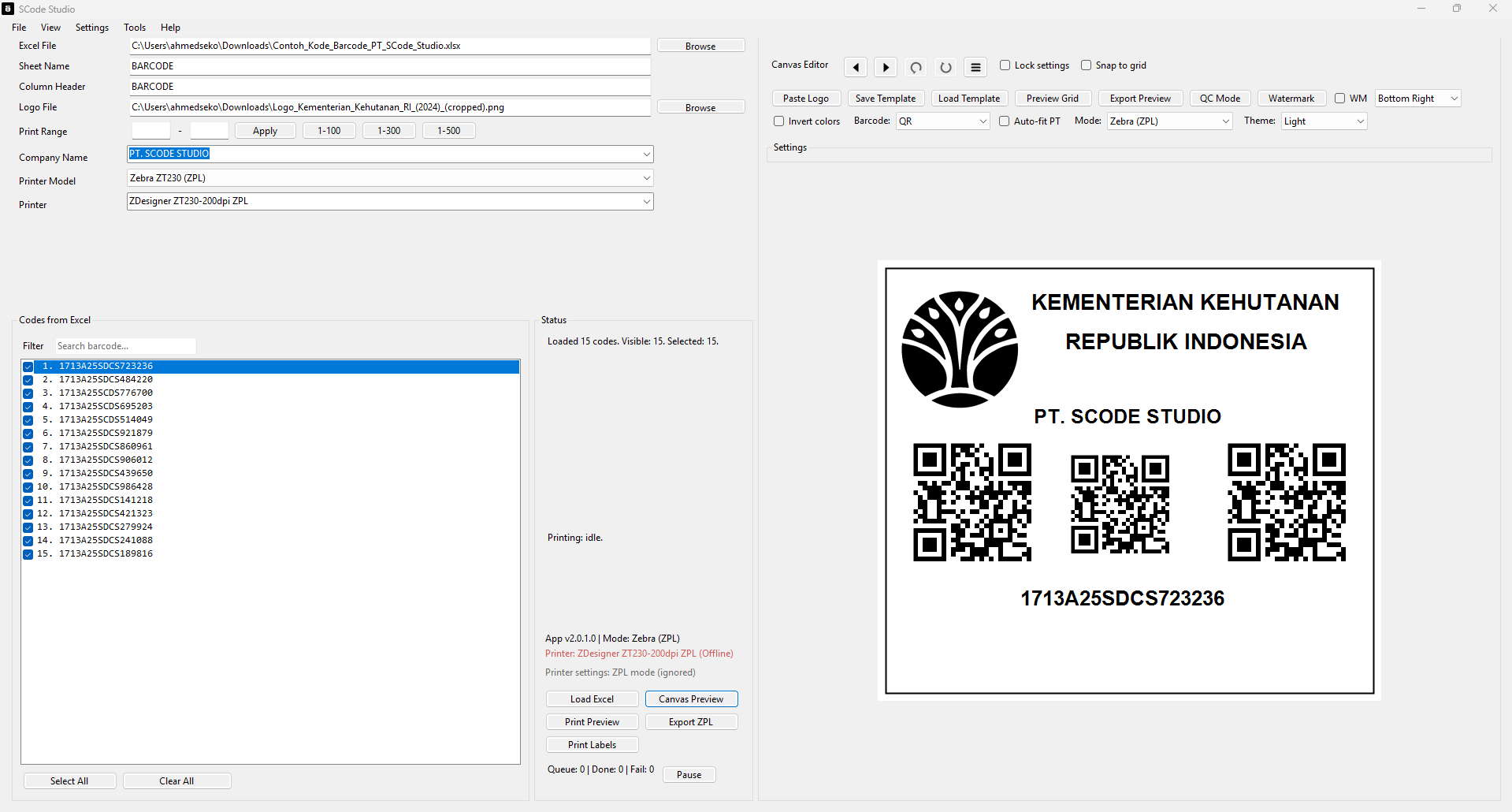
A quick walkthrough of SCode Studio in action.
Built for fast operations, accurate output, and real-world industrial printers.
Load thousands of barcodes from Excel, CSV, or clipboard.
Drag text, logo, QR, and footer directly on the preview.
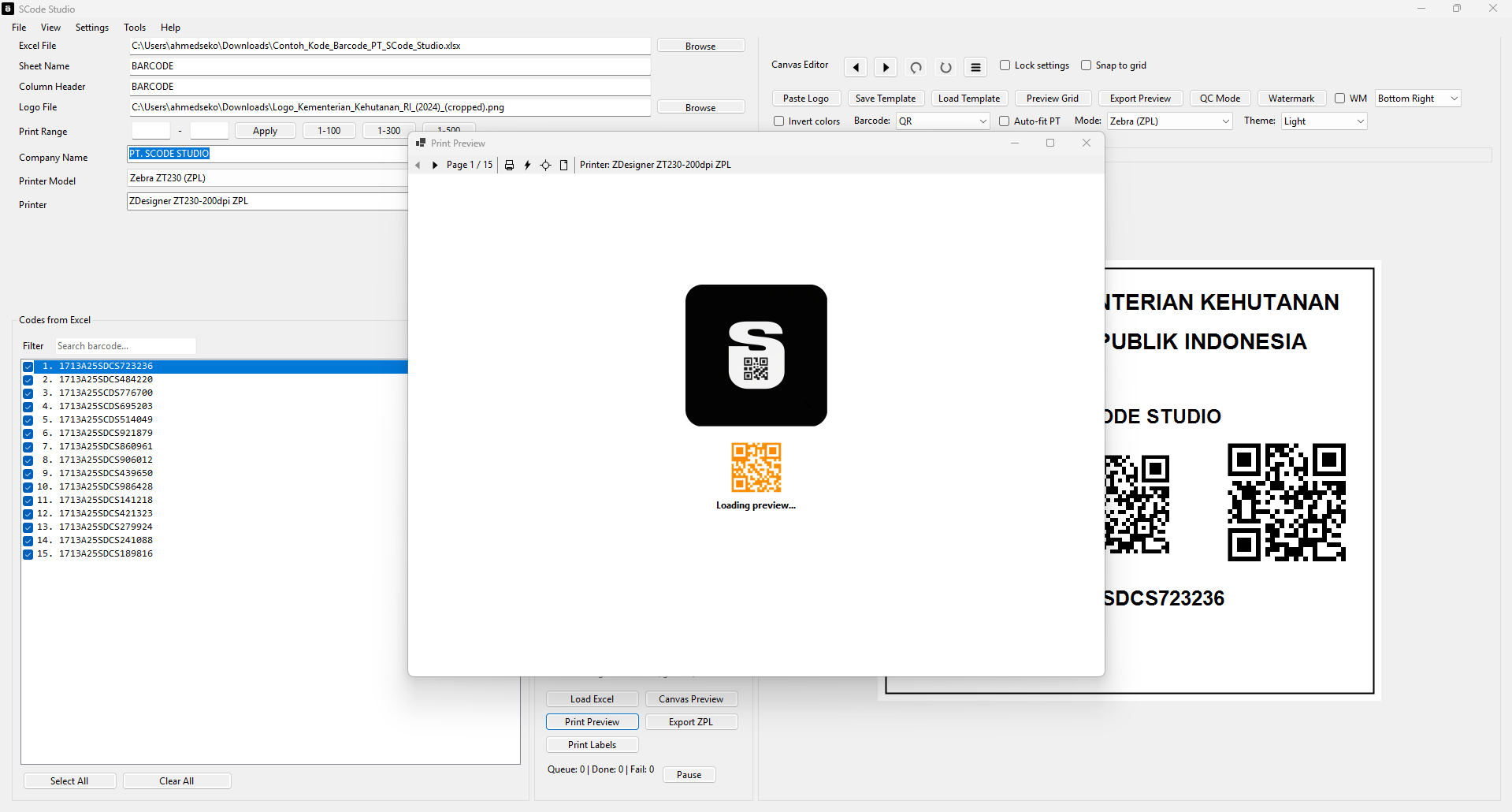
Accurate label preview before sending to the printer.
Zebra ZPL + Windows drivers for Epson, Canon, Brother.
Track progress, retries, and recent jobs in one place.
Save layouts, reload projects, and reuse company names.
Export ZPL, preview images, and printable PDFs.
Scan QR from webcam, copy, open links, save, or print.
Duplicate detection, auto-fit text, watermark, invert colors.
A quick checklist to run SCode Studio smoothly.
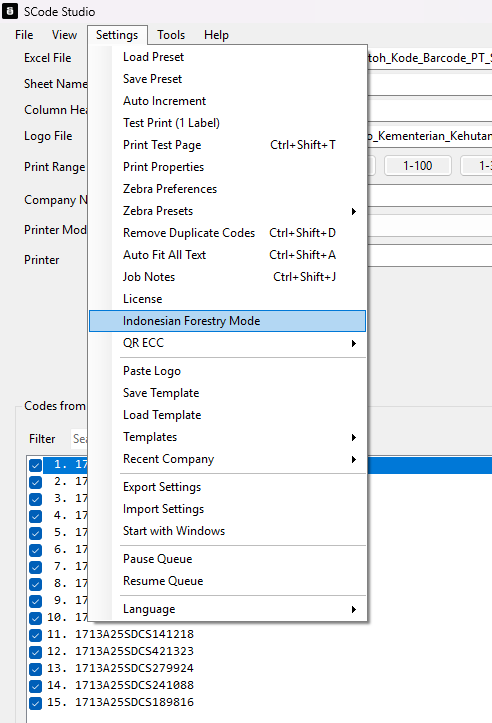
Indonesian Forestry Mode
Enable SVLK mode to auto-place the SVLK logo and register number below the barcode. Adjust positions manually to match your label.
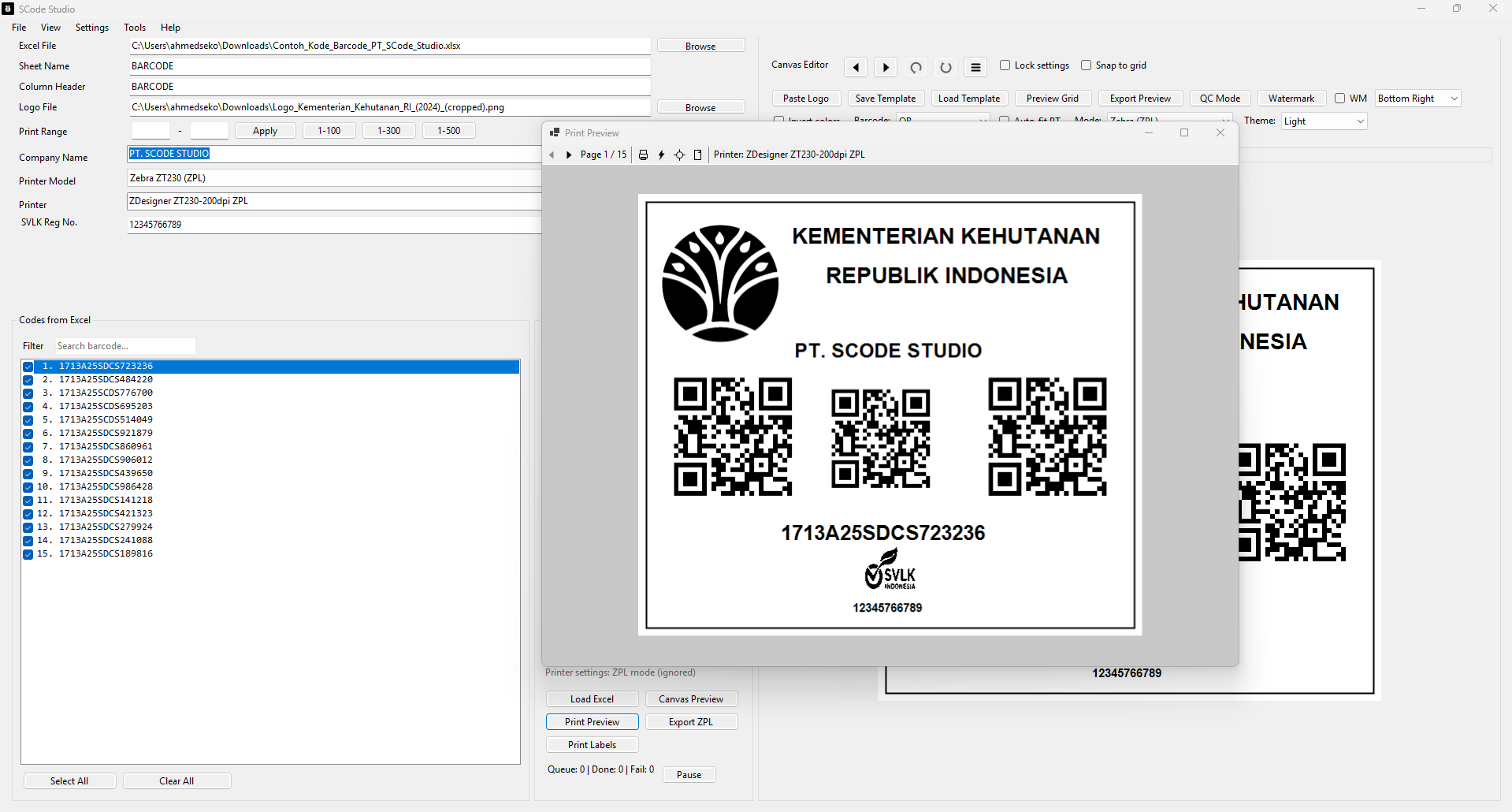
Built around Zebra ZPL and Windows print drivers.
ZT230, GC420t, ZT231, ZT400 series, ZD series
Epson L series, Canon, Brother, TSC, Blueprint, EPOS
QR, Code 128, and more (selectable in-app)
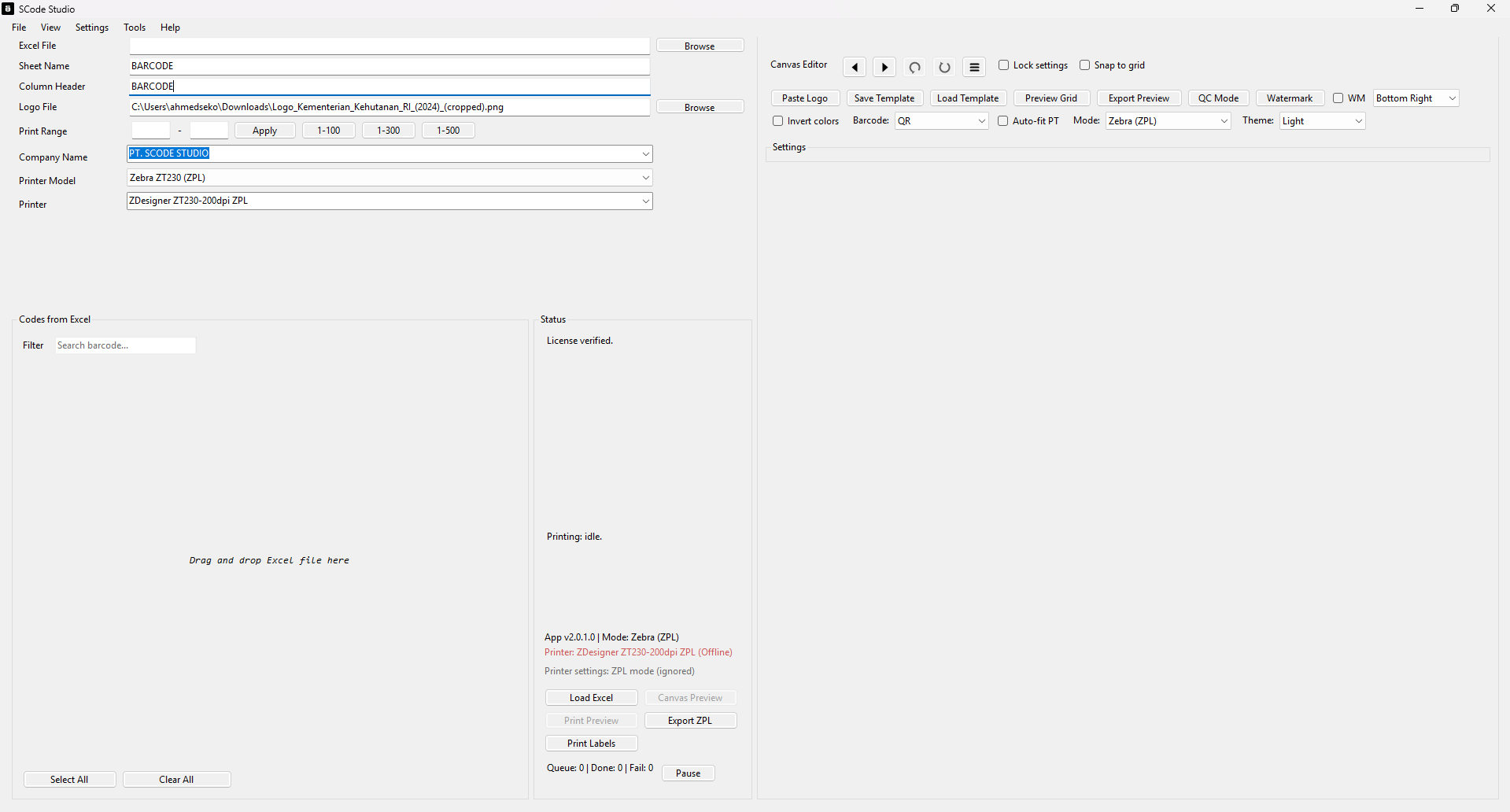
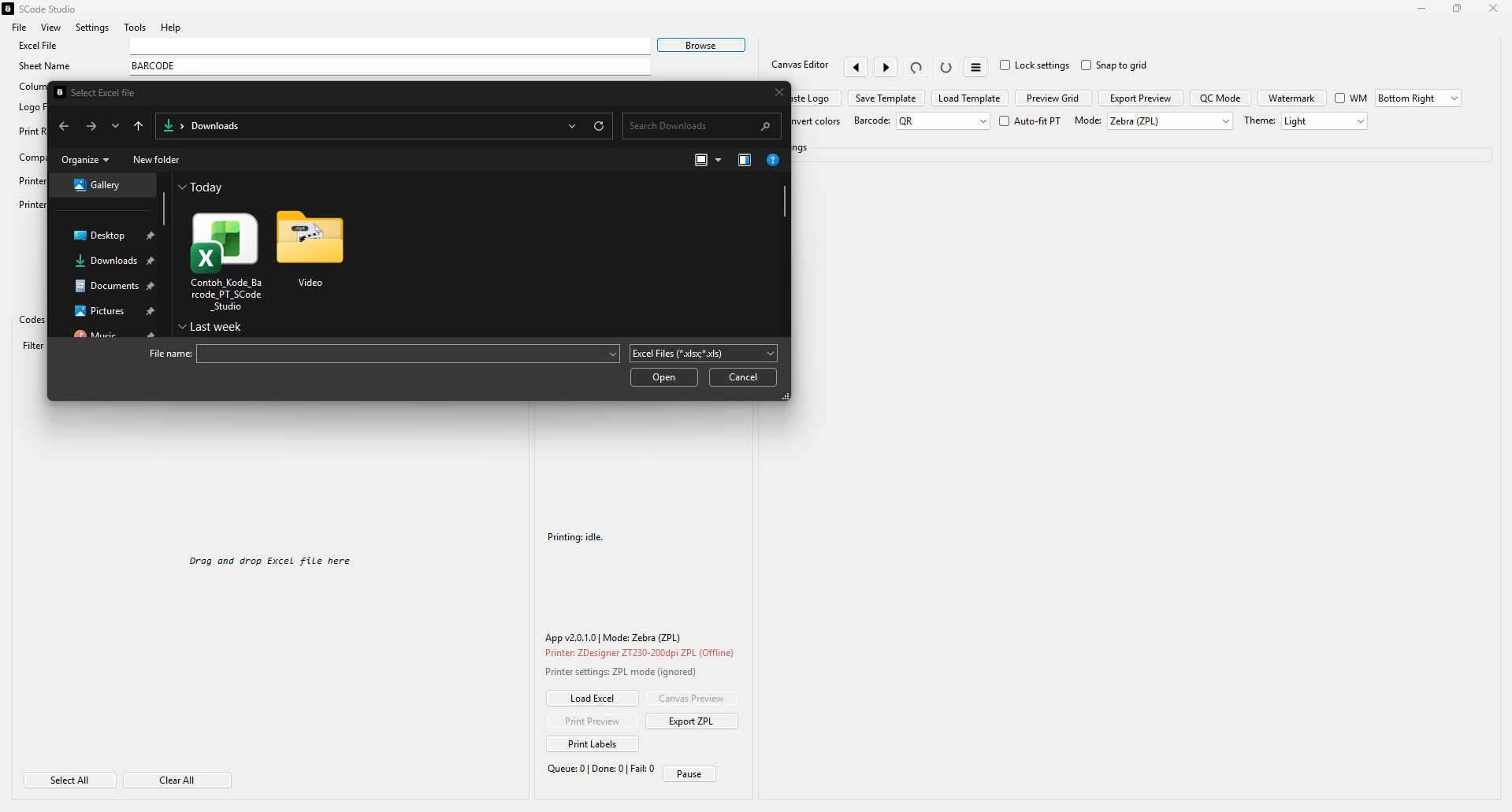
See the workflow from loading Excel to print preview.
Recent releases and improvements.
SVLK layout refinements, QR scanner tools, and print preview polish.
Major UI refresh with canvas editor and real print preview.
First release for production-ready QR label printing.
Answers to the most common questions.
Yes. Deactivate on the old device and activate on the new one.
Yes. Use Windows driver mode for Epson, Canon, Brother, and more.
Yes. Label editing and printing work without internet.
Yes. Save templates and company presets for faster workflows.
Download the latest SCode Studio for Windows 10/11.
Questions, enterprise deployments, or feature requests.