

Forestry Field App

RimbaLog helps forestry teams log timber faster, cleaner, and with better accuracy.

Built for real field conditions with offline-ready logging, GPS capture, and secure reporting.

Offline-ready GPS-enabled
RimbaLog Android

Field-ready features

Tools that keep crews accurate, even without a signal.

RimbaLog logo

Core toolkit

Android

Offline-ready GPS-enabled
  • Timber measurement, notes, and photo evidence.
  • GPS-ready plot and route logging.
  • Secure export formats for inventory reporting.
  • Excel export per book/date range.
  • Stock opname with condition status.
  • Wood code dictionary auto-fill.
  • Daily work reminders.
RimbaLog logo

Offline-first

Android

Collect data without internet access and sync when you are online.

RimbaLog logo

Advanced tools

Android

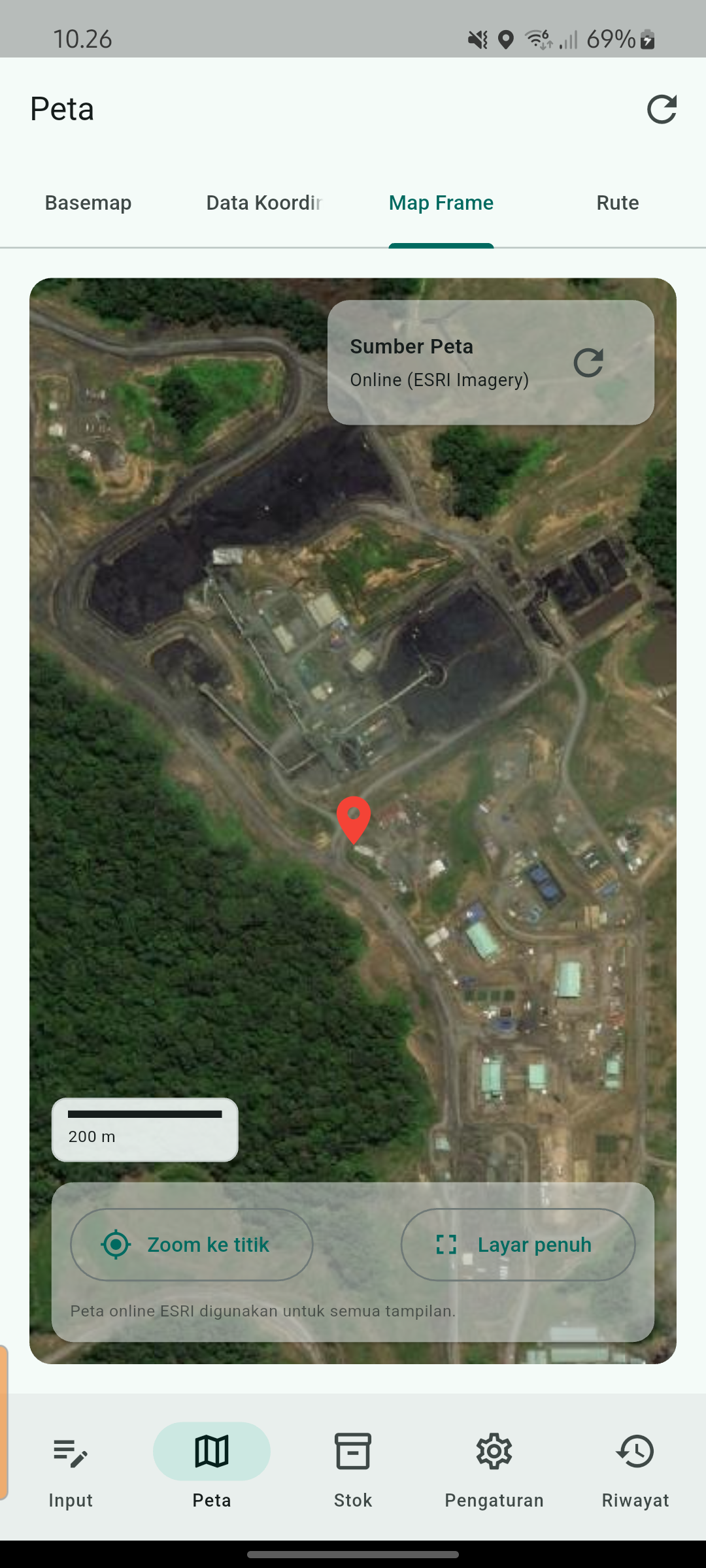
  • Map frame with ESRI/OSM basemap.
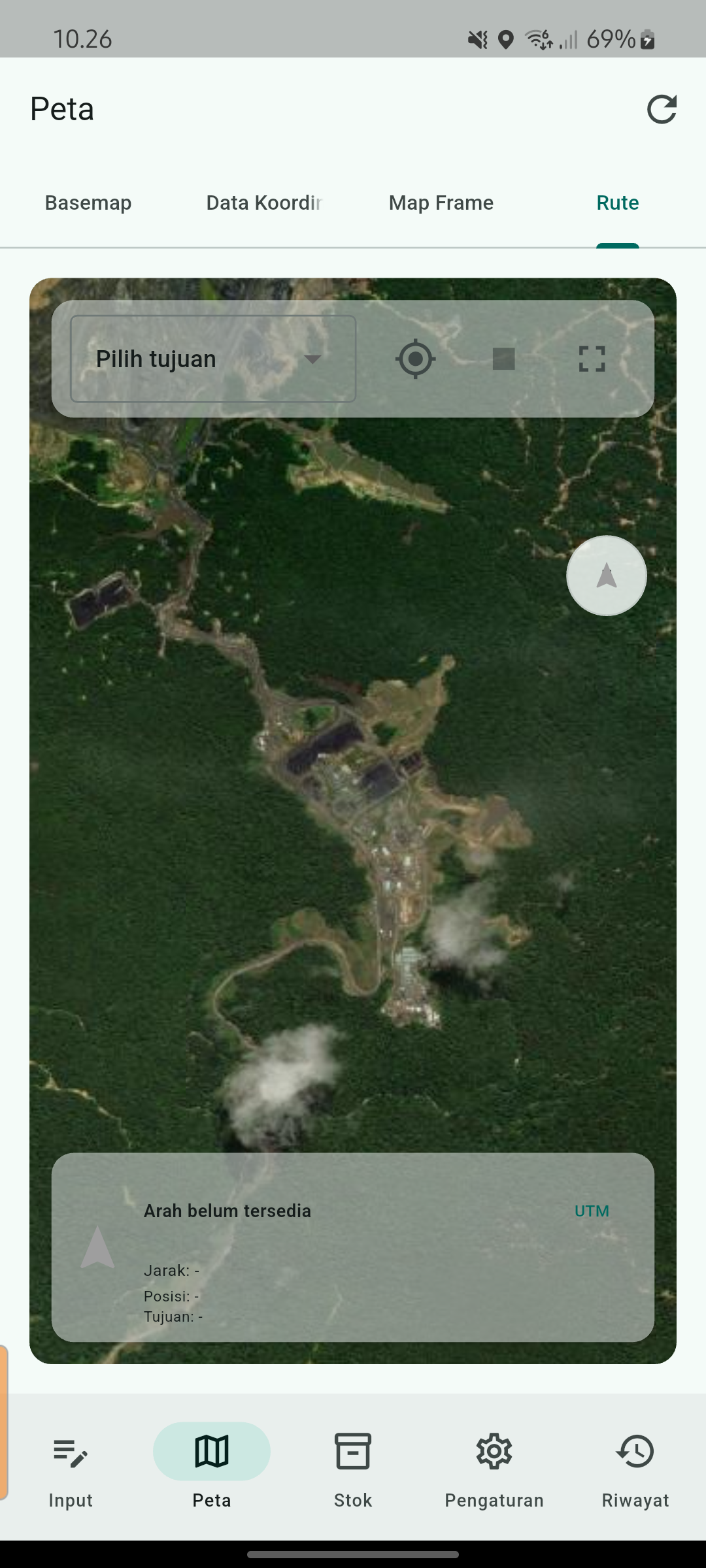
  • Route-to-point compass & distance.
  • Premium: full GPS accuracy and LAN sync.
  • Premium: multi-photo documentation & larger database.

Screenshots

A quick look at the workflow, from books to maps and routes.

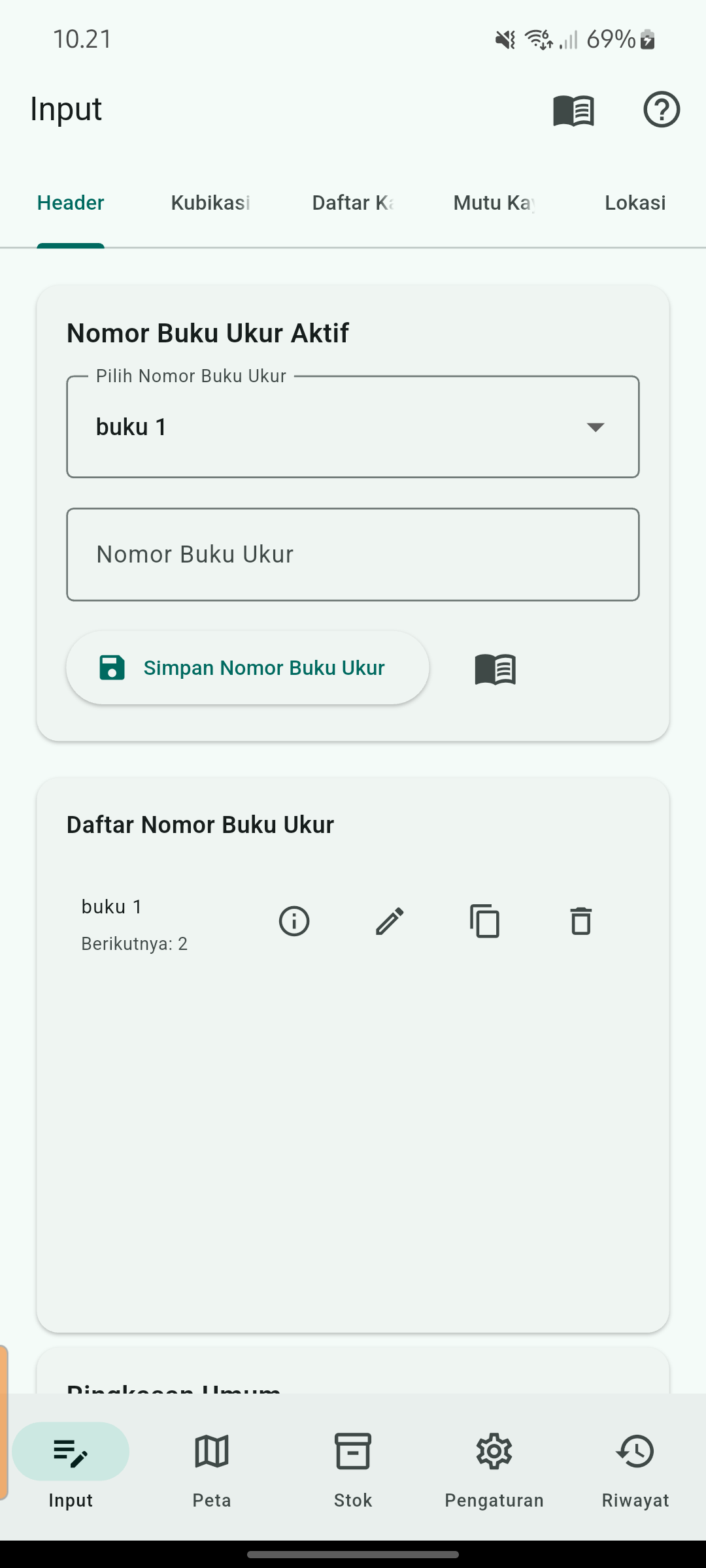
RimbaLog header tab
Header & Buku Ukur
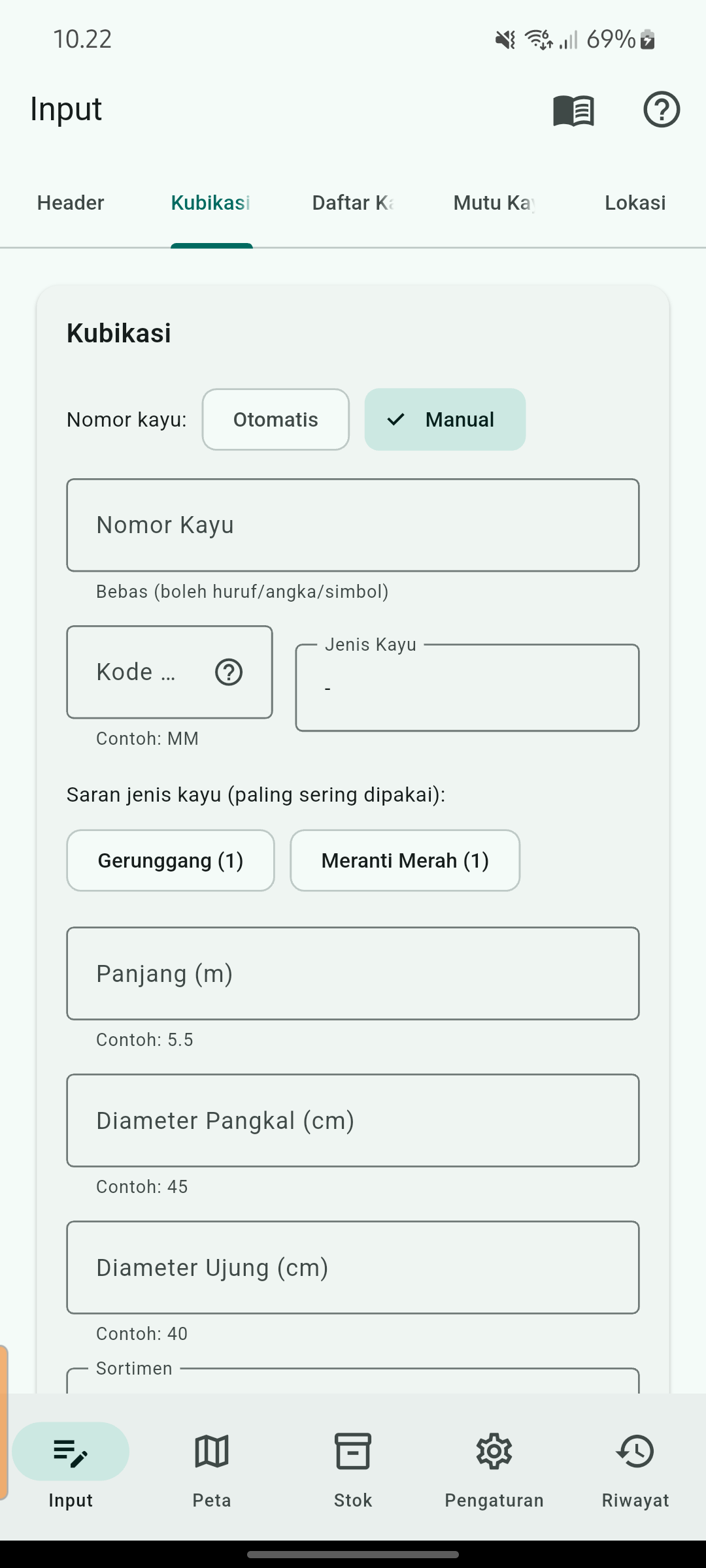
RimbaLog kubikasi form
Kubikasi input
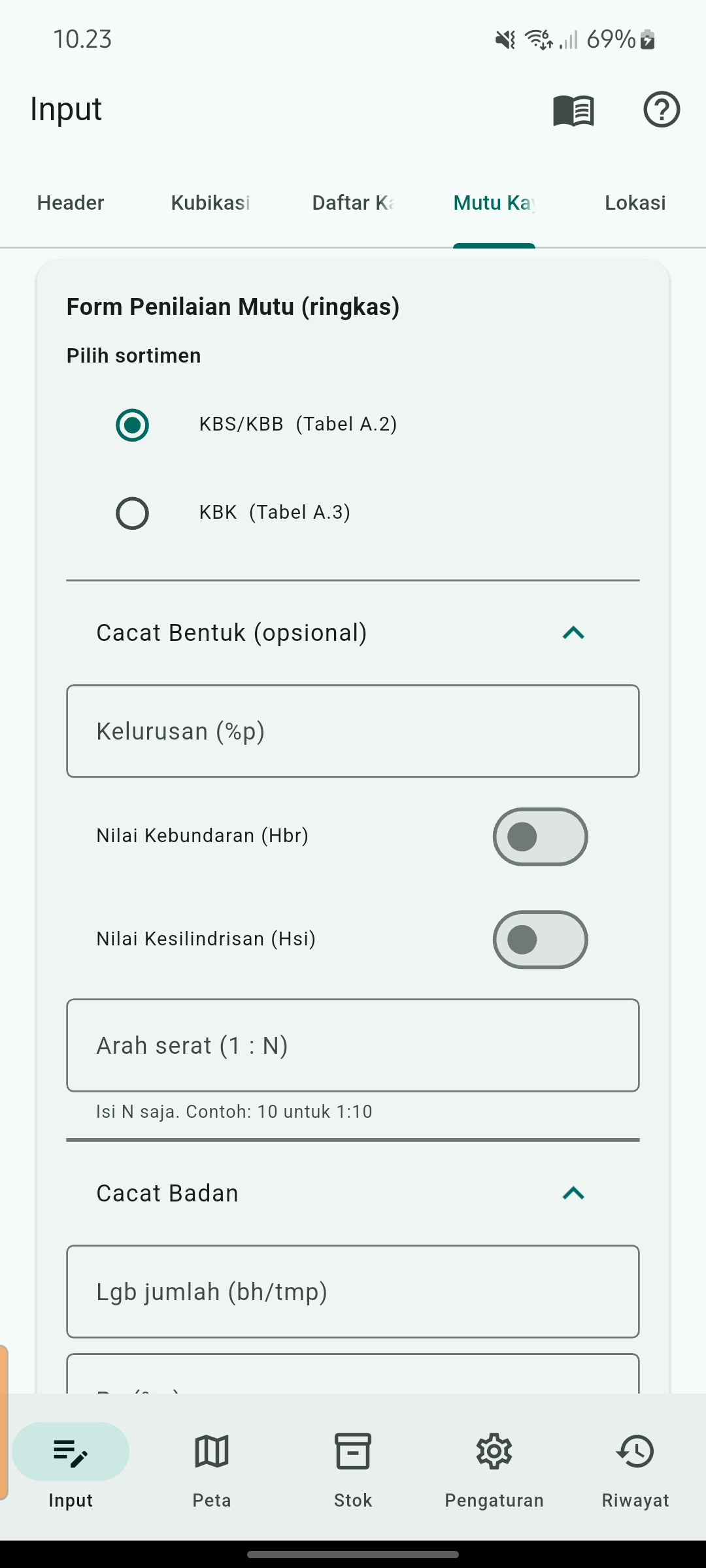
RimbaLog mutu quick form
Mutu (ringkas)
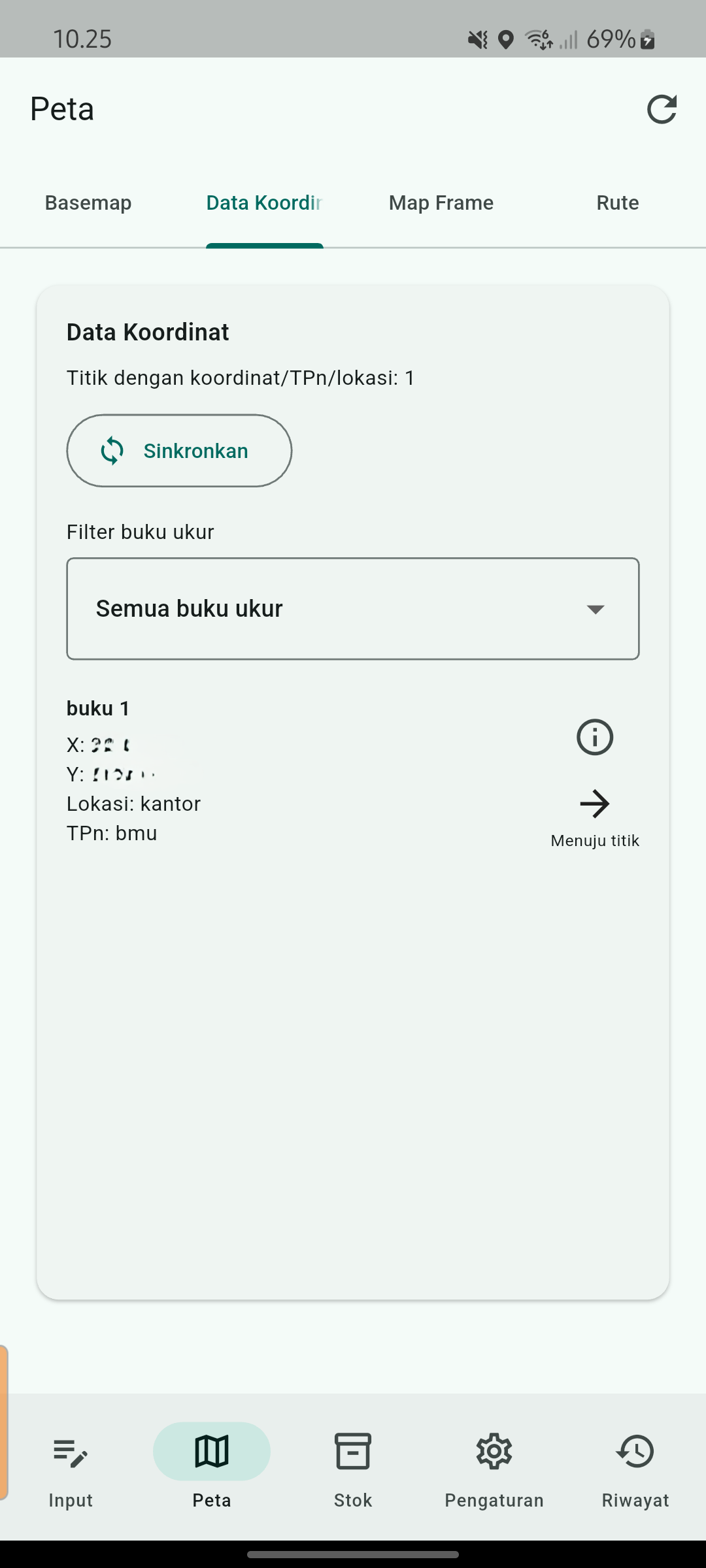
RimbaLog coordinate list
Data koordinat
RimbaLog map frame
Map frame
RimbaLog route to point
Rute ke titik

Quick guide

Short steps taken from the in-app help center.

Mulai cepat

  1. Buat Nomor Buku Ukur baru di tab Header.
  2. Isi nomor kayu awal lalu simpan.
  3. Masuk tab Kubikasi & Cacat dan isi data kayu.
  4. Tekan Simpan untuk tiap batang (nomor otomatis naik).
  5. Buka Daftar Kayu untuk edit atau lihat detail.

Header Buku Ukur

  • Pilih buku ukur aktif lewat dropdown.
  • Buat buku ukur baru untuk lokasi kerja berbeda.
  • Nomor kayu mengikuti buku ukur aktif.
  • Export Excel dilakukan dari tab Header.

Kubikasi & Cacat

  • Isi Kode Kayu agar nama terisi otomatis.
  • Masukkan Panjang, Diameter Pangkal, dan Diameter Ujung.
  • Cacat (%) diisi manual sesuai kondisi.
  • Kubikasi kotor/bersih dihitung otomatis.

Lokasi & Koordinat (UTM)

  • Isi Lokasi Ukur dan Nomor TPn (opsional).
  • Masukkan koordinat X/Y manual atau ambil dari GPS.
  • Indikator sinyal GPS dan akurasi tampil realtime.
  • Zona UTM mengikuti pengaturan otomatis/manual.

Ekspor & Backup

  • Export Excel per buku ukur/semua data/tanggal.
  • Sinkron LAN via Wi‑Fi yang sama (host & client).
  • File ekspor tersimpan lokal perangkat.

Download RimbaLog

Available now for Android teams in the field.

Support

Quick answers for teams getting started with RimbaLog.

Does RimbaLog work offline?

Yes. Data is stored locally and synced when you are back online.

Can we export reports?

Yes. Export formats are available for forestry team reporting.

Contact

Collaboration, enterprise deployments, or feature requests.

Ahmed Seko logo
Ahmed Seko Developer & Product Builder

GitHub

Ahmedseko